resources
graphics, reference sheets, and tools for OP‑XY and OP‑1 field, made for the community.
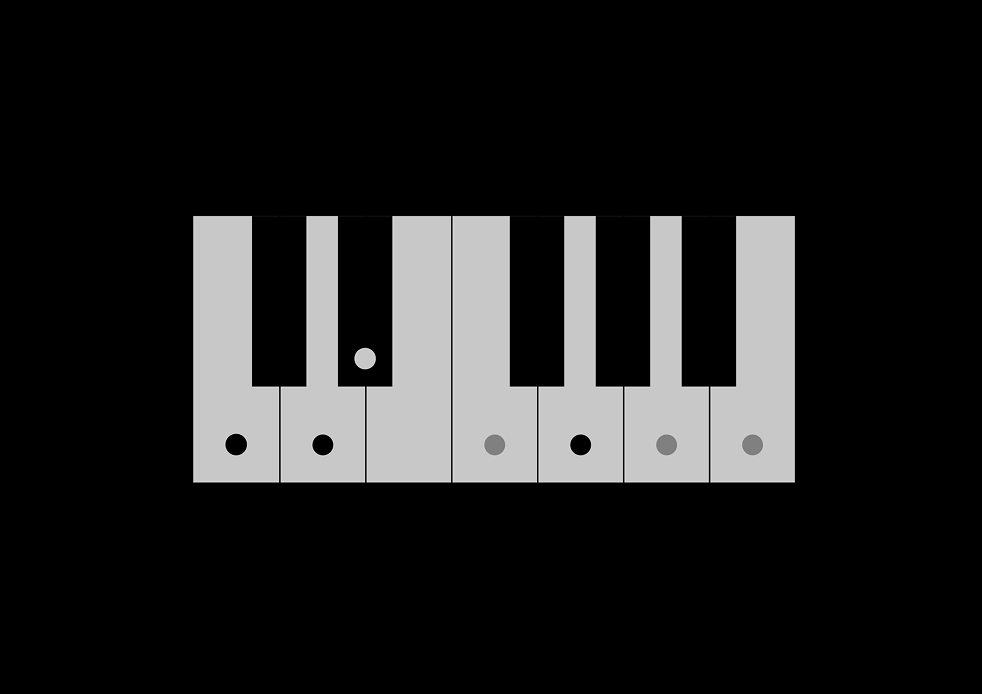
scales — what am I playing?
tap the notes you are playing to find the scales that hold them.
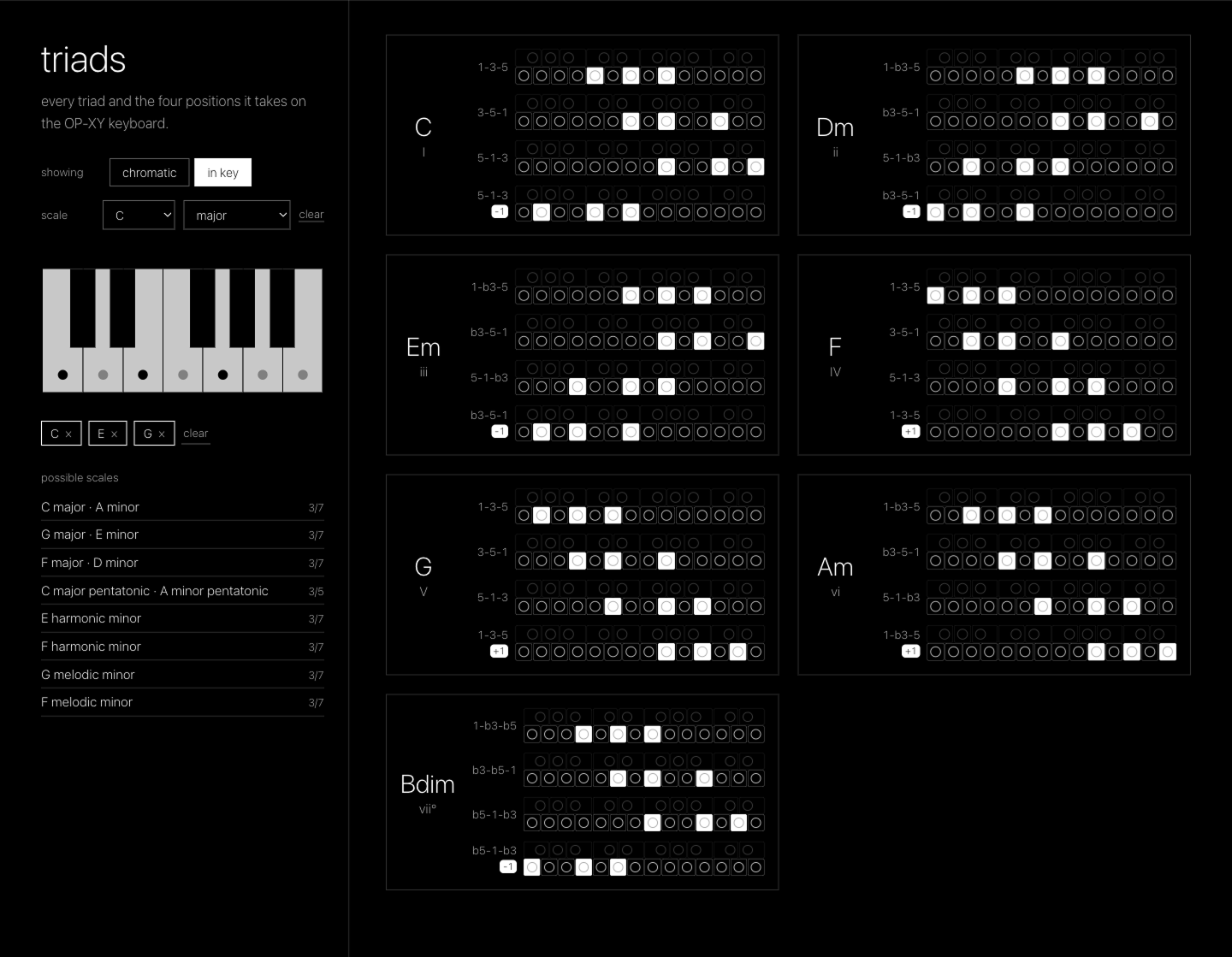
triads — interactive tool
every triad on the OP‑XY keyboard (major, minor, dim, aug, sus2, sus4). pick a scale, or tap out what you are playing to find one, and see just the triads in it.
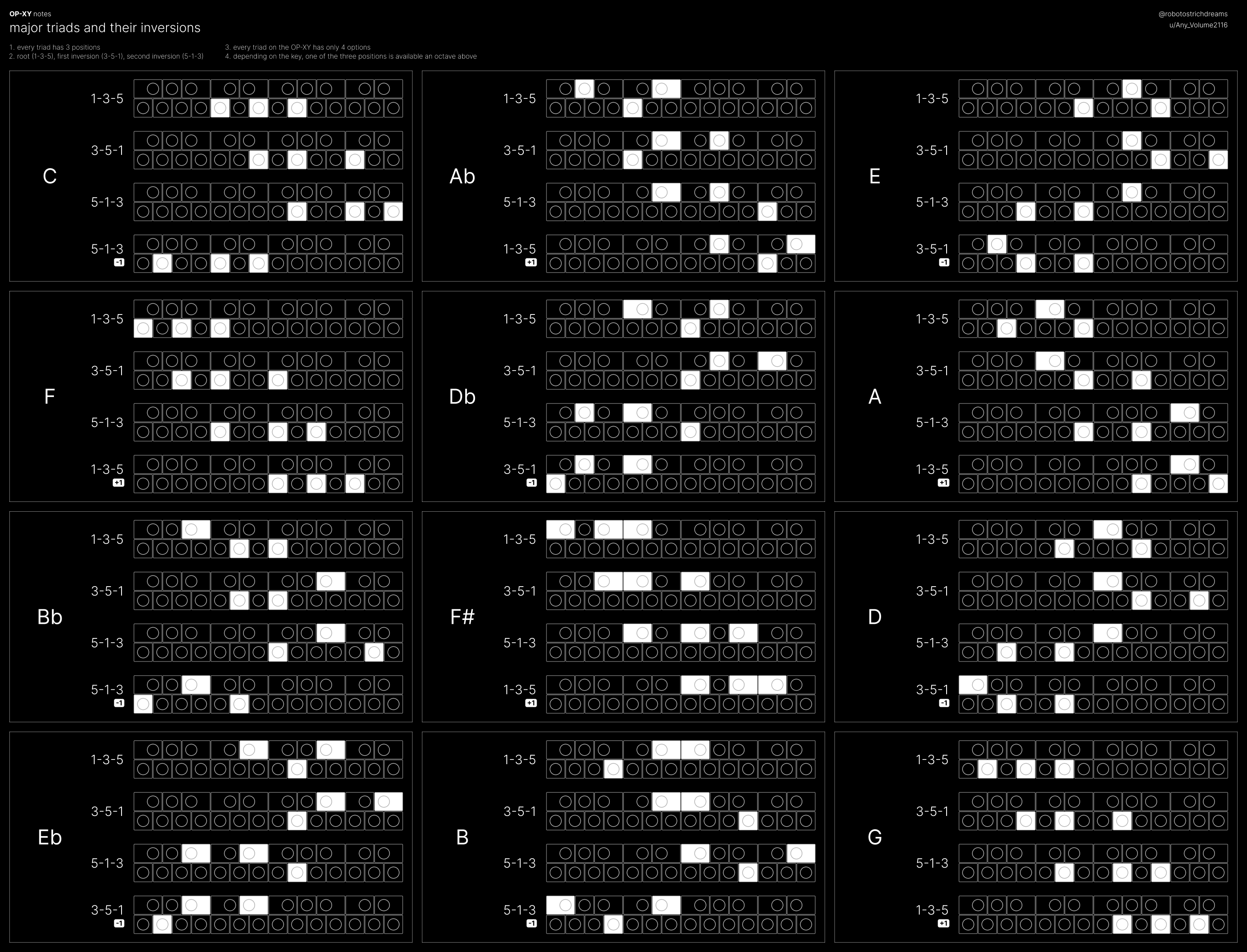
major triads and their inversions — OP‑XY
every major triad, in all twelve keys, drawn on the OP‑XY keyboard. root position, first inversion, second inversion, and the fourth shape you get when one of the three positions sits an octave away.
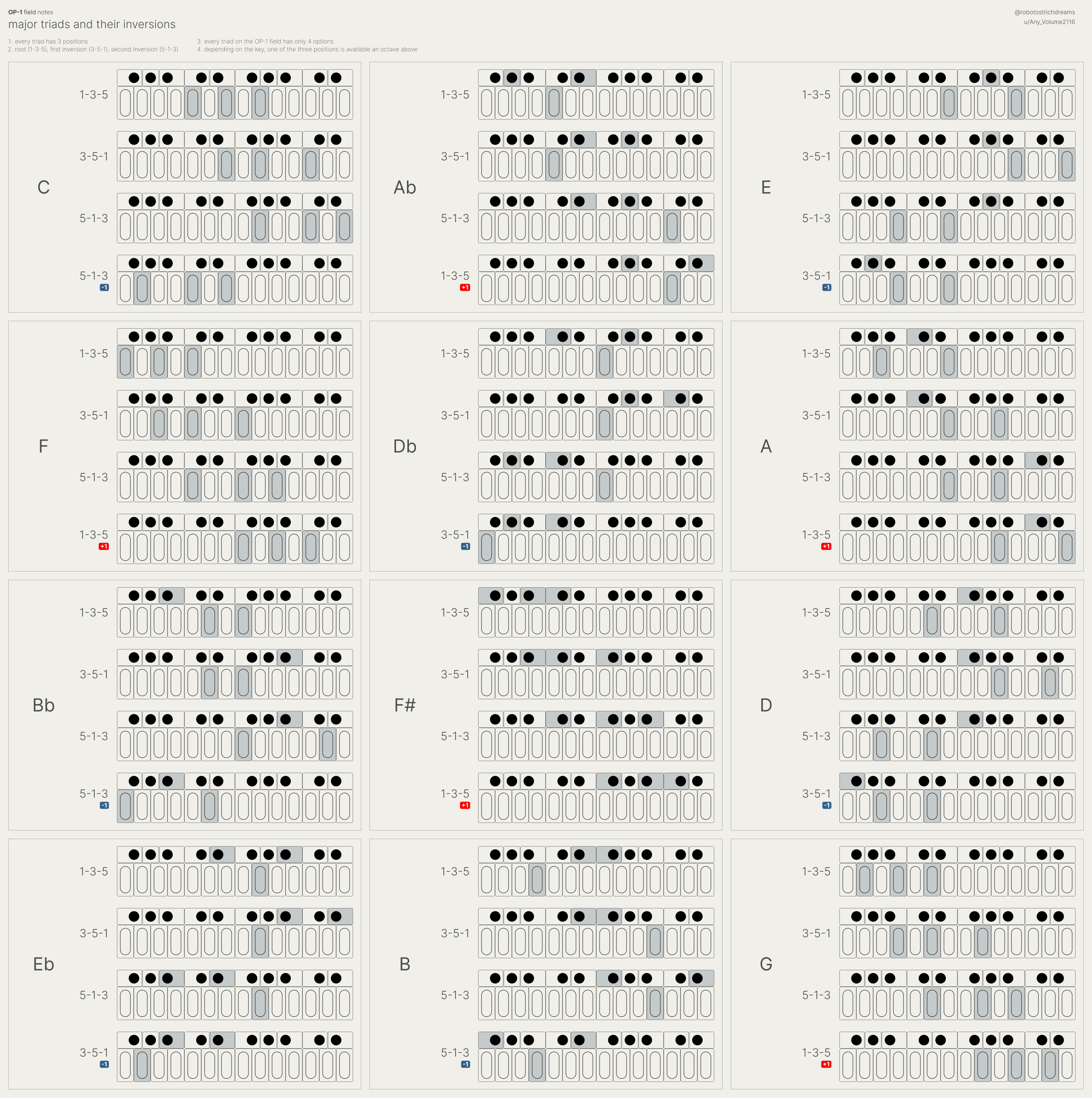
major triads and their inversions — OP‑1 field
the same chart, redrawn for the OP‑1 field keyboard.
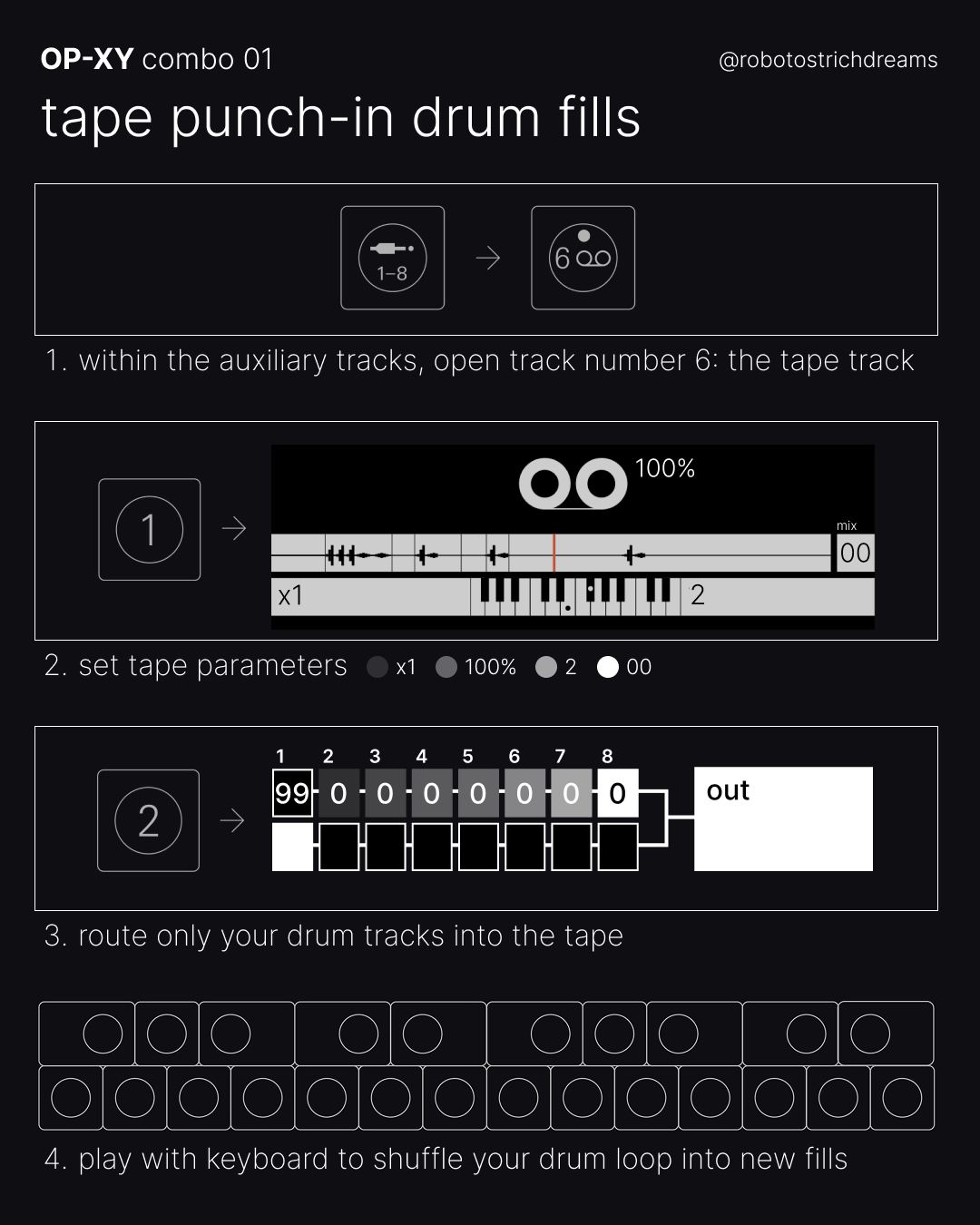
combo 01 — tape punch-in drum fills
the tape track as a fill machine. route only your drums into it, set the tape, then punch in from the keyboard to shuffle the loop into fills you never programmed.
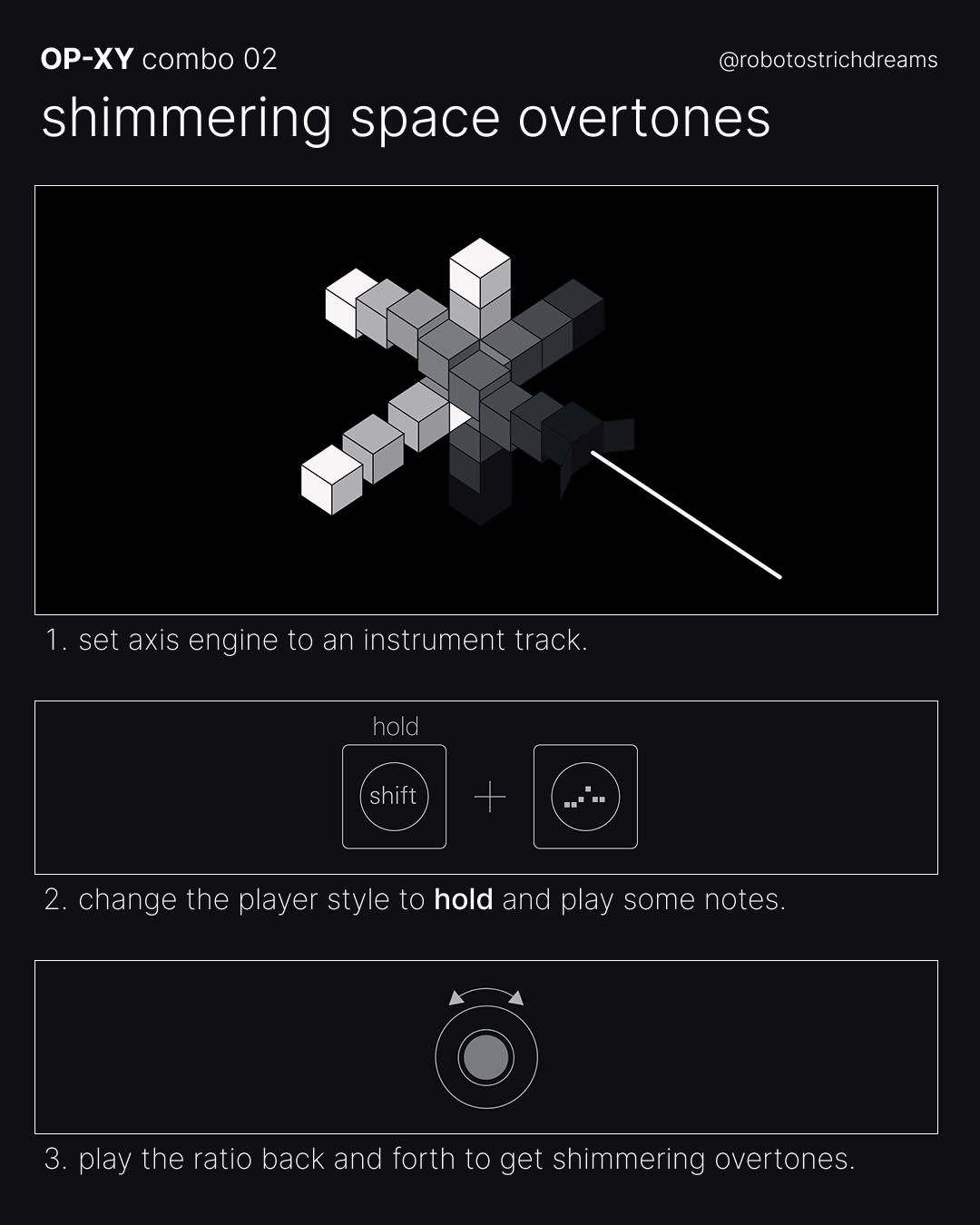
combo 02 — shimmering space overtones
the axis engine, held on a chord, with the ratio moved by hand. three steps to a pad that keeps shifting under itself.
OP‑XY and OP‑1 field are trademarks of teenage engineering. VJ‑XY is not affiliated with or endorsed by teenage engineering.